FHRP - First-Hop Redundancy Protocol
The use of this protocol is to allow hosts to appear to use a single router as default gateway
and to maintain the connectivity even if the primary router goes down or have a connectivity
failure from the Primary ISP.
This protocol provides an uninterruptible communication for the hosts.
3 supported protocols
- HSRP - Hot Standby Router Protocol
- VRRP - Virtual Router Redundancy Protocol
- GLBP - Gateway Load-Balancing Protocol
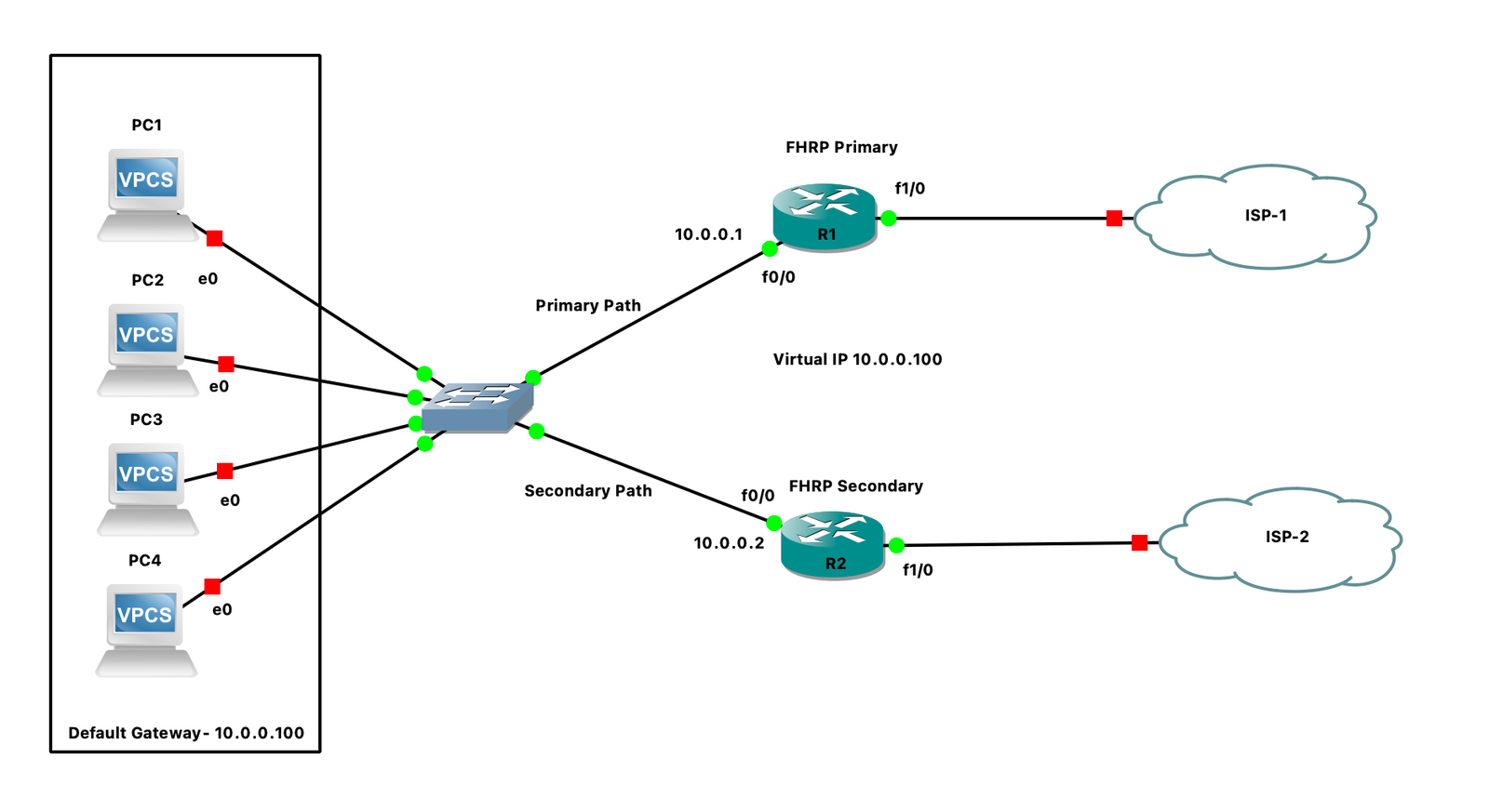
HSRP - Hot Standby Router Protocol
- It's a Cisco proprietary protocol
- It supports both IPv4 and IPv6
- It uses UDP port number 1985 (source and destination ports are both the same)
Timers
- Hello: 3 seconds
- Hold: 10 seconds
Priority
- Range: 0–255
- Default: 100
HSRP Version 1
- Group number: 0–255
- Multicast IP address: 224.0.0.2
- Virtual MAC: 0000:0c07:ac**
HSRP Version 2
- Group number: 0–4095
- Multicast address: 224.0.0.102
- Virtual MAC: 0000:0c9f:f***
Election Is Based On
- Highest priority
- Highest physical interface IP address
Convergence Time
States
- Disabled – HSRP is not configured.
- Init – HSRP is enabled, or the interface where HSRP is configured is enabled.
- Learn – In this state, HSRP routers wait for the neighbor to advertise the Hello message.
- Listen – The router has learned the Virtual IP but has not been elected as Active or Standby.
- Speak – The router participates in the Standby router election by sending Hello messages.
- Standby – The router is elected as the Standby router.
- Active – The Standby router is promoted to the Active router.
Packet Content
-
Version
- HSRP Version 1 value is 0
- HSRP Version 2 value is 2
-
Op Code
- 0 – Hello
- 1 – Coup
- 2 – Resign
- State
- Timers
- Priority
- Group
- Virtual IP
- Authentication Data
Router State
- The router with the highest priority will be in Active mode.
- The router with the second-highest priority will be in Standby mode.
- All remaining routers in the HSRP network will be in the Listen state.
HSRP Election
- All participating routers first elect the Standby router.
- The router with the highest priority becomes the Standby router.
-
If all the routers have the same priority, the election happens based on the highest
physical interface IP address (HSRP-enabled), and that router is elected as the Standby router.
-
Once the Standby router is elected, it looks for HSRP Hello messages from the Active router.
If it does not receive any Hello messages from the Active router, the Standby router promotes
itself to Active. The remaining routers then perform the Standby election again.
Note: If a peer router does not join the HSRP election on time, the first HSRP
router will become Active even if it has a lower priority.
Virtual MAC Concept
The Virtual MAC is derived from the group number. The group number is converted into hexadecimal.
1. If the group number is 10:
- Version 1: The Virtual MAC will be 0000:0c07:ac0a
- Version 2: The Virtual MAC will be 0000:0c9f:f00a
HSRP Process
-
By using preemption, a router with the highest priority can take over the role of the
Active router, where the Coup bit (Op Code-1) is enabled in the HSRP packet.
-
We can track other uplink failures to do forwarding through another router by decreasing
the router's priority.
-
When the Active router sends a Hello message, it uses the Virtual MAC address as the
source MAC address.
-
When the Standby router sends a Hello message, it uses the physical MAC address as the
source MAC address.
-
If the Active router does not send a Hello message, the Standby router will wait for
10 seconds, and after 10 seconds, it will become Active.
-
If the Active router goes down intentionally (by shutting down the interface or removing
the HSRP configuration), it sends an HSRP packet with the Resign bit (Op Code-2) toward
the Standby router, and within a second, the Standby router takes over the role of the
Active router.
-
When a Standby router becomes Active, it generates a Gratuitous ARP. It uses the Virtual IP
as the source and destination IP and the Virtual MAC as the source MAC, with the broadcast
MAC as the destination MAC.
-
This allows the switch ports to learn the Virtual MAC on the new port, and all forwarding
will be done through the new port (facing the new Active gateway).
-
For the Active router, preemption is always disabled by default, while it is enabled for
the Standby router. Therefore, if a new router joins the same HSRP group, it can participate
in the Standby election.
-
If more than two routers participate in a single HSRP group, one will become active, one will be standby, and the rest will be in the listen state, waiting for the standby router to go down and trigger a new standby election.
The Active router is always promoted from the Standby state if there is no Active router present.
Enable HSRP
| R1 |
R2 |
interface FastEthernet0/0
ip address 10.0.0.1 255.0.0.0
standby version 2
standby 10 ip 10.0.0.100
standby 10 priority 110
standby 10 preempt |
interface FastEthernet0/0
ip address 10.0.0.2 255.0.0.0
standby version 2
standby 10 ip 10.0.0.100 |

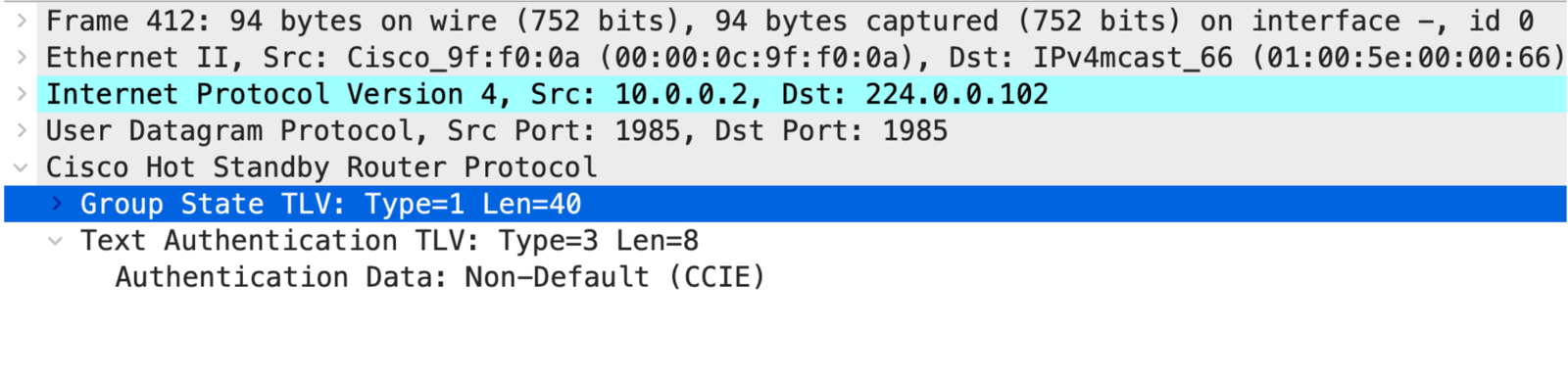
Authentication
By default HSRP uses Clear text Authentication with password cisco.

Enable Clear-Text Authentication
| R1 |
R2 |
interface FastEthernet0/0
standby 10 authentication CCIE |
interface FastEthernet0/0
standby 10 authentication CCIE |
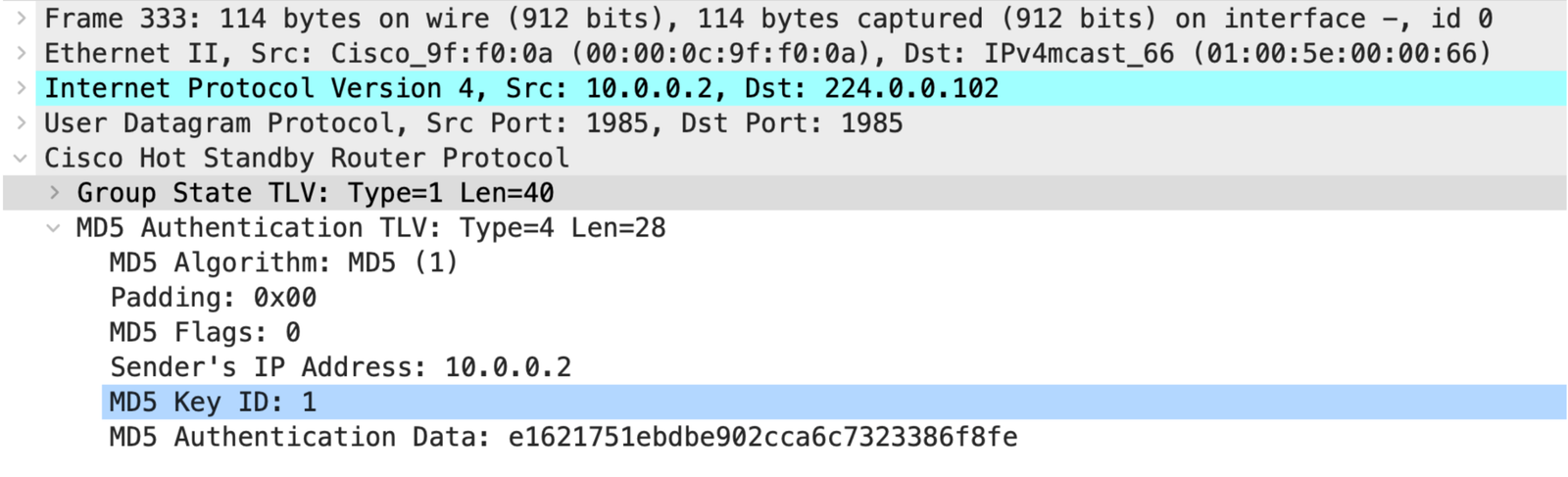
Enable MD5 Authentication: With Key-Chain
| R1 |
R2 |
key chain HSRP
 key 1
  key-string CCIE
interface FastEthernet0/0
standby 10 authentication md5 Key-chain HSRP |
key chain HSRP
 key 1
  key-string CCIE
interface FastEthernet0/0
standby 10 authentication md5 Key-chain HSRP |
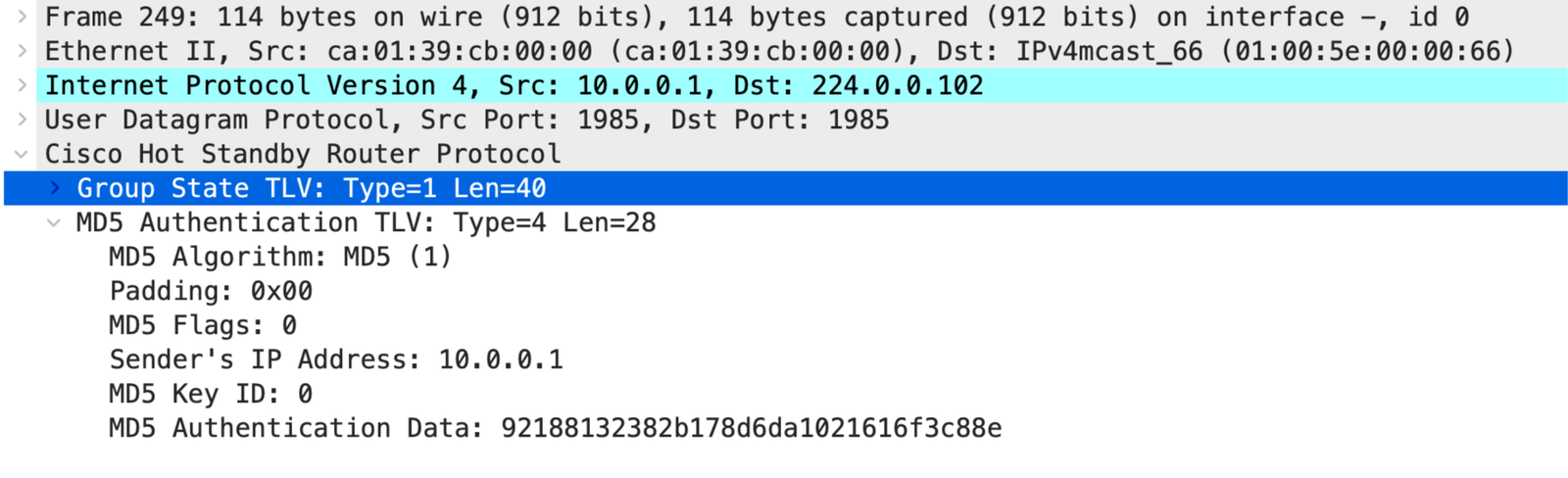
Enable MD5 Authentication: Without Key-Chain
Without key-chain config, HSRP consider Key ID 0.
| R1 |
R2 |
interface FastEthernet0/0
standby 10 authentication md5 Key-string CCIE |
interface FastEthernet0/0
standby 10 authentication md5 Key-string CCIE |
Tracking Uplink: Using IP SLA
| R1 |
R2 |
ip sla 1
 icmp-echo 8.8.8.8 source-interface f1/0
 frequency 5
 exit

ip sla schedule 1 start-time now life forever
track 1 ip sla 1 reachability
 exit

interface f0/0
 standby 10 preempt
 standby 10 track 1 decrement 20
exit |
interface f0/0
 standby 10 preempt
exit |
In this case, Router-1 will start sending an ICMP message to 8.8.8.8 every 5 seconds.
If it does not receive a reply, the SLA and Track will go into the Down state, and HSRP will
decrement the priority by 20. As a result, R1 will have a priority of only 90, and the HSRP
peer will take over the role.
The user needs to make sure that preemption is enabled on the standby router so that it can
take over the role.